An embedded 3D/2D CAD viewer and a native parametric modeling tool family (OCCT kernel) for DeepSeek Harness — the agent builds exact BRep geometry step by step, live in the conversation.
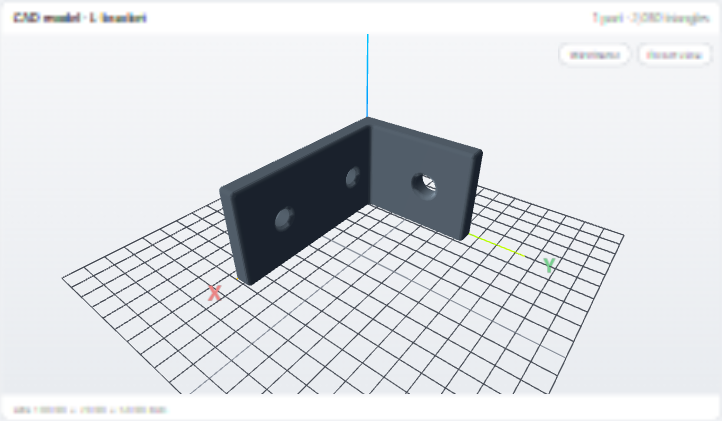
An L-bracket modeled live in the chat: profile extrusion, through holes and all-edge fillet — exact OCCT BRep, 2,030 triangles, volume verified to 76,678.69 mm³.
quick-start.sh
# clone & build (Node ≥ 22)git clone https://github.com/LAU-MARS/dsh-cad.git
cd dsh-cad && npm install && npm run build && npm test
# register as a dsh web pluginnpm i -g @deepseek-ai/dsh pnpm
dsh plugin --profile web add /path/to/dsh-cad
dsh web# then just ask:# "model a 100×70 L-bracket, two ⌀9 holes,# one ⌀12 mounting hole, fillet R2"
Capabilities
A full CAD workbench, in the conversation.
View, measure, model and export — every step stays exact BRep on the OCCT kernel, never a mesh approximation.
Primitives, profile extrusion, booleans (fuse / cut / common), all-edge fillets and transforms — mm, Z-up, exact axis-angle placement.
🖥️
Resident “3D” tab
A permanent tab beside the chat: XYZ axes + grid when empty, then tracking the latest model in real time as the agent works.
⚡
Zero-copy pipeline
Worker meshes → in-memory binary → three.js typed arrays. No base64, no intermediate files, no per-step disk writes; documents persist and replay on restart.
📐
2D viewing
DXF / SVG drawings render as crisp vector cards in the chat — resolution-independent lines in true drawing units.
🗂️
Layers & entities
cad_info reports DXF layer structure, entity counts and drawing metadata — read-only, without touching geometry.
📏
Extents & units
Every 2D card shows exact drawing extents (e.g. 100 × 70 mm) with one-click Fit — verify scale at a glance.
✏️
Profiles → 3D
Closed 2D profiles are first-class input to modeling: extrude any polygon sketch into an exact 3D solid along +Z.
Installation
Try it in two minutes.
1 · Install the plugin
terminal
dsh plugin --profile web add dsh-cad # published on npm
2 · Prerequisites & launch
terminal
npm i -g @deepseek-ai/dsh pnpm # Node ≥ 22dsh web# init profile, Ctrl-Cdsh plugin --profile web add dsh-cad
dsh web# set DEEPSEEK_API_KEY, then chat
The tool family
Twelve tools the agent can call.
Every modeling step refreshes the same viewer card in place — stable viewId, versioned URL — while the 3D tab keeps tracking.
cad_viewopen a CAD file, render an interactive card